Best Payroll Software Services in 2026 (Tested by Experts)

The best payroll software for most small businesses in 2026 is Gusto. It combines full-service payroll, automatic tax filing, and HR tools at a clear, published price. OnPay and Patriot Payroll follow closely, with OnPay best for growing teams and Patriot the cheapest full-service option.
Manual payroll is slow and easy to get wrong, so the right software saves you hours every pay period and helps you avoid tax penalties. Below we rank the top 10 payroll systems for small and large businesses, compare what they cost in 2026, and explain how to choose. If you only need a quick pay stub instead of a full subscription, our pay stub generator can create one in minutes.
Our Top Three Picks
Dozens of payroll providers exist, but three stand out in 2026. Each leads a different category: the best overall, the best budget option for small businesses, and the best for large companies.
| Best Overall | Best Budget Option for Small Business | Best for Large Companies |
|---|---|---|
| Gusto | Patriot Payroll | RUN Powered by ADP |
|
Gusto is the best payroll service for most teams. It covers payroll, automatic tax filing, time tracking, contractor payments, and centralized HR at a transparent price ($49/month plus $6 per employee). It is ideal for startups and small businesses because it automates almost every hard part of payroll.
|
Patriot Payroll is the best budget option for small businesses. It is easy to set up and use, and it pays both employees and contractors. Basic Payroll starts at $17/month plus $4 per worker, with full tax filing on the Full Service plan.
|
RUN Powered by ADP is the strongest pick for larger and fast-growing companies. It pairs robust payroll with deep HR tools, 24/7 support, and best-in-class tax compliance. Pricing is quote based and scales as you add employees and features.
|
Top 10 Payroll Software for Small and Large Businesses
Running payroll by hand is stressful. You have to calculate each paycheck, send it on time, and pay it to the right person. The tools below automate that work so you can focus on the business. Here is how their 2026 pricing compares at a glance.
| Software | Best for | Starting price (2026) | Free trial |
|---|---|---|---|
| Gusto | Small businesses overall | $49/mo + $6 per employee | Free demo |
| RUN Powered by ADP | Growing and larger teams | Custom quote (about $79/mo + $4 per employee) | Up to 3 months |
| OnPay | Small to mid-sized teams | $49/mo + $6 per employee | First month free |
| TimeTrex | Time and attendance heavy teams | Free Community edition; paid plans by quote | Yes |
| Rippling | Payroll plus IT and HR in one | Custom quote (modular, from about $8 per employee) | No |
| QuickBooks Payroll (Workforce) | QuickBooks accounting users | $50/mo + $6.50 per employee (Core) | 30 days or 50% off 3 mo |
| Roll by ADP | Mobile-first micro businesses | About $29/mo + $5 per employee | Yes |
| Patriot Payroll | Budget full-service payroll | $17/mo + $4 (Basic); $37/mo + $5 (Full Service) | 30 days |
| Paychex Flex | Scalable SMB to enterprise | Custom quote | Varies |
| Payroll4Free | Free basic payroll (up to 10 employees) | Free; paid tax filing and deposit add-ons | Free |
1. Gusto
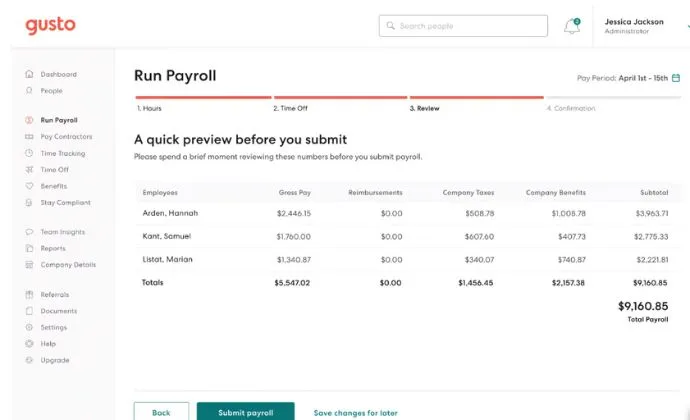
Gusto is full-service payroll built for US-based businesses and startups. Every account supports both automated and manual payroll, for employees and contractors across all 50 states. It automates much of HR, compliance, and accounting, so it is a great fit if you are still figuring things out.
Gusto handles tax filing and calculations for everyone on your list, and it generates year-end W-2s and 1099s automatically. Employees get an online profile, pay stubs, and an email each payday with their pay details. You can set a salary or hourly rate per person and put payroll on autopilot.
Pricing in 2026 is transparent and published. The Simple plan is $49/month plus $6 per employee, Plus is $80/month plus $12, and Premium is $180/month plus $22. A contractor-only plan starts at $35/month plus $6 per contractor.
Pros
- Easy to use
- Chat, email, or phone support
- Automatic tax filing and compliance guidance
- Transparent pricing with no setup fees
Cons
- Support is weekdays only
- Multi-state payroll requires the Plus plan or higher
2. RUN Powered by ADP
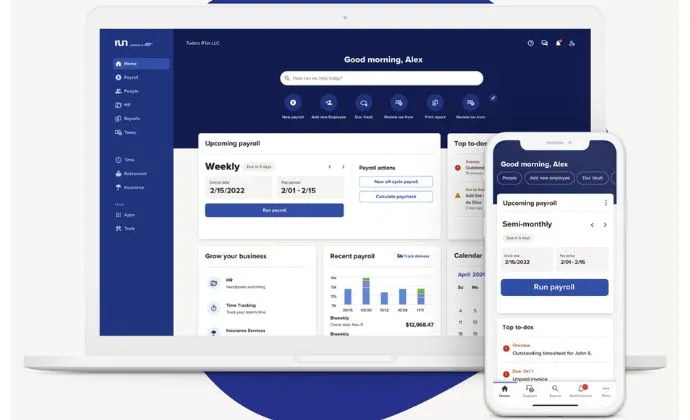
RUN is ADP's payroll platform for small and growing businesses. It handles payments quickly and pairs payroll with powerful HR and compliance tools. You can pick from modular packages and only pay for the features your team needs.
RUN files and pays taxes automatically and can submit quarterly or annual reports for you. Support runs 24/7, and the agents are payroll experts who can help with almost any issue. Because ADP also runs hiring tools like ZipRecruiter, you can post open roles and reach strong candidates.
Pricing is quote based, with the entry Essential plan reported to start around $79/month plus $4 per employee. ADP often runs a free trial of up to three months, but final costs depend on your size and add-ons.
Pros
- Scales from small teams to large companies
- 24/7 customer support
- Deep tax compliance and HR tools
Cons
- Pricing is not published and requires a quote
- Charges can rise with each payroll run
3. OnPay
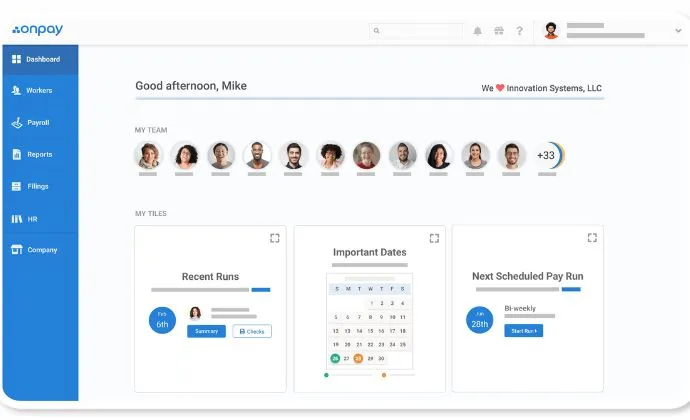
OnPay is a cloud-based payroll service and one of the best values for small to mid-sized teams. It helps managers build full employee records and run unlimited payrolls each month. It also handles all tax calculations and filings for every worker.
OnPay charges one flat plan at $49/month plus $6 per employee, with every feature included and no extra fee for multi-state payroll. You can enter employee data yourself or let staff add their own through self-service. Setup and data migration are free.
The platform supports many vertical industries and integrates with third-party tools like accounting software. Custom data fields let you track equipment and keep clean records. OnPay averages 4.8 out of 5 stars across hundreds of reviews.
Pros
- Unlimited payrolls
- One plan with all features included
- Strong employee self-service
- Free setup and migration
Cons
- No fully automatic payroll runs
- HR features are lighter than larger platforms
4. TimeTrex
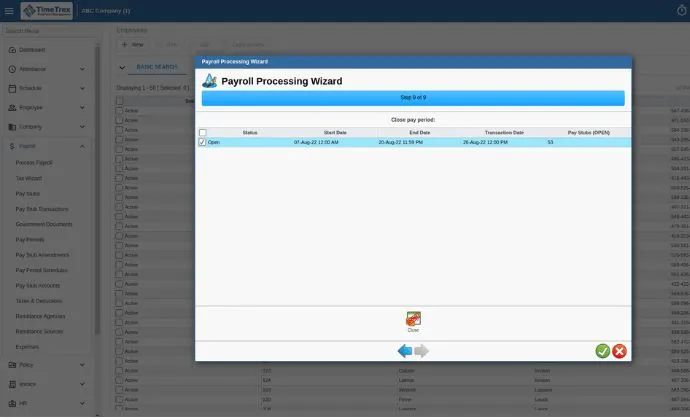
TimeTrex is workforce management software that gives small businesses the automation usually reserved for large ones. It automates complex payroll and labor rules, and it tracks employee attendance in real time. There is a free open-source Community edition plus paid Professional and Enterprise plans.
You can record GPS locations to see where employees are and get alerts when someone leaves a set boundary. The mobile apps work on Android and iOS and add biometric and facial recognition for extra security. That keeps unauthorized users out of your system.
Pros
- Time and attendance tracking
- Automated payroll
- Human resource management
- Invoicing and expense tracking
- Customizable reporting
- Free Community edition available
Cons
- Paid plans require a custom quote
- Setup can be more technical than rivals
5. Rippling
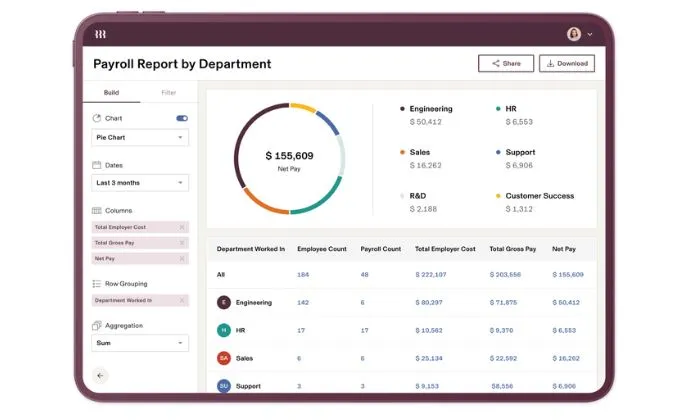
Rippling is a full-service platform that connects payroll with HR and IT in one system. It started as payroll software and now manages benefits, devices, apps, and permissions. That makes it a strong fit for tech-forward and remote-first teams.
Rippling uses modular pricing that starts around $8 per employee per month, with custom quotes based on the modules you choose. Unlike ADP, it does not charge per payroll run, and tax filing is built in. You can add only the pieces you actually need.
Pros
- All-in-one HR, IT, and payroll
- Highly customizable modules
- Strong features for remote teams
- Easy to set up and use
Cons
- No free trial
- Requires a custom quote
6. QuickBooks Payroll
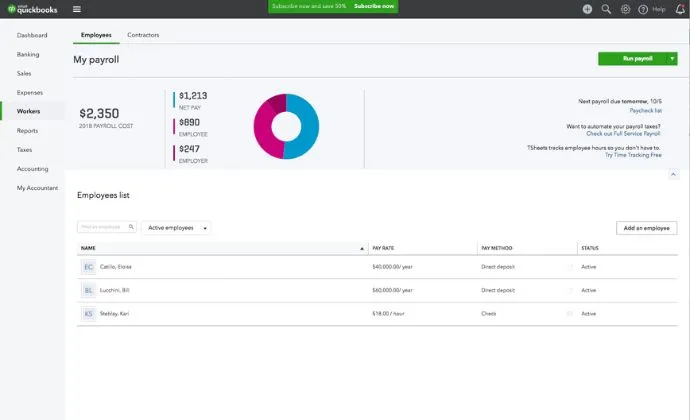
QuickBooks Payroll, now branded QuickBooks Workforce, is one of the most widely used payroll systems on the market. Intuit has offered payroll tools for decades, and the cloud version is the best fit for businesses already inside the QuickBooks ecosystem.
There are three standalone tiers. Core is $50/month plus $6.50 per employee, Premium adds same-day direct deposit and time tracking, and Elite adds tax penalty protection and 24/7 support at $134/month plus $12 per employee. Every plan can run unlimited payrolls and pair with QuickBooks accounting.
That tight accounting link is the main reason to choose it. If you keep your books in QuickBooks, payroll data flows straight in with no extra import. All plans offer a 30-day free trial or 50% off the base rate for three months.
Pros
- Excellent mobile app
- Direct deposit or printed checks
- Deep QuickBooks accounting integration
- Unlimited payroll runs
- Free trial or intro discount
Cons
- 24/7 support is limited to the Elite plan
- Per-employee costs add up at higher tiers
7. Roll by ADP
Roll by ADP is a chat-based payroll app that works differently from the others on this list. You run payroll for employees and contractors by sending text-style messages in the mobile app. It is built for tech-savvy owners and very small teams.
The app is surprisingly capable, with AI assistance, onboarding, employee self-service, and reporting. Pricing starts around $29/month plus $5 per employee, which is affordable for micro businesses with simple needs.
Pros
- Unlimited payroll runs
- Automatic tax payments and filings
- Covers employees and contractors
- Next-day direct deposit
- AI-guided chat interface
- Affordable
Cons
- No built-in time tracking
- Limited HR tools
- Few third-party integrations
8. Patriot Payroll
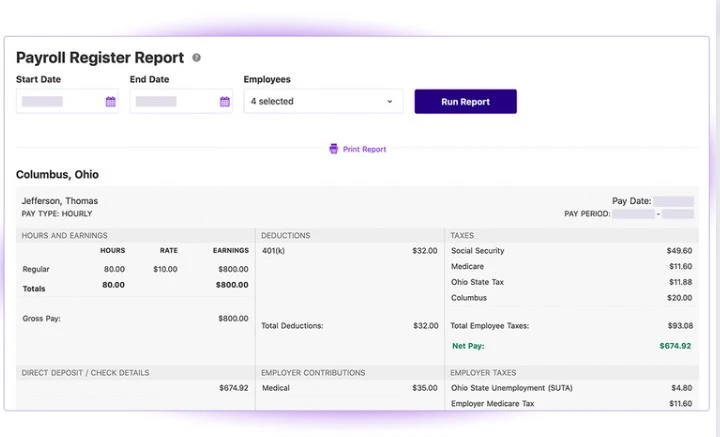
Patriot Payroll is a great solution for small businesses that want to automate employee and contractor payments. It is one of the cheapest options on the market and is easy to set up and manage. You do not need prior payroll experience to use it.
Basic Payroll costs $17/month plus $4 per worker, and you handle your own tax filing. Full Service Payroll is $37/month plus $5 per worker, and Patriot files and pays your federal, state, and local payroll taxes for you. That frees up time you would otherwise spend on tax math.
Patriot supports 1 to 500 employees, runs unlimited payrolls, and includes a free employee portal. It also offers a 30-day free trial and frequent promotions like 50% off for three months.
Pros
- Affordable, transparent pricing
- Unlimited payrolls
- Free setup and US-based support
- Employee self-service portal
Cons
- Tax filing requires the Full Service plan
- HR and benefits features are add-ons
9. Paychex Flex
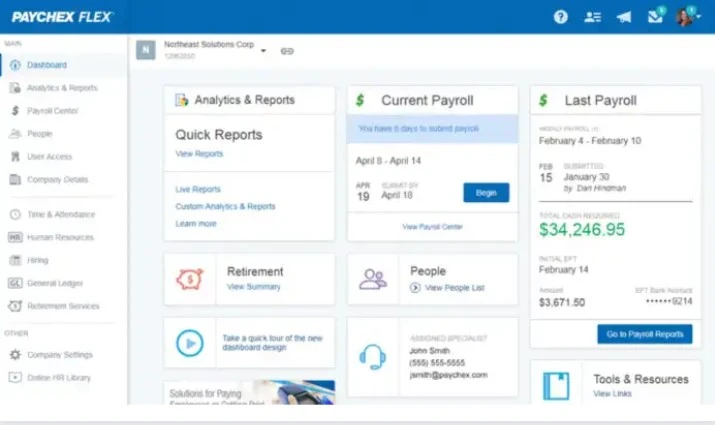
Paychex Flex is straightforward payroll software aimed at small businesses, and a simpler alternative to Paychex's enterprise tools. It offers direct deposit and lets you print checks to hand out yourself. Pricing is quote based and scales as your team grows.
It can handle payroll taxes too, though that may cost an extra fee. A self-service portal lets employees check pay stubs and tax forms on their own, so they do not have to come to you with questions.
Pros
- Good value as you scale
- Easy to use
- Strong customer service
- Customizable plans
Cons
- Some tax filing carries an extra fee
- Time tracking may need a third-party tool
10. Payroll4Free
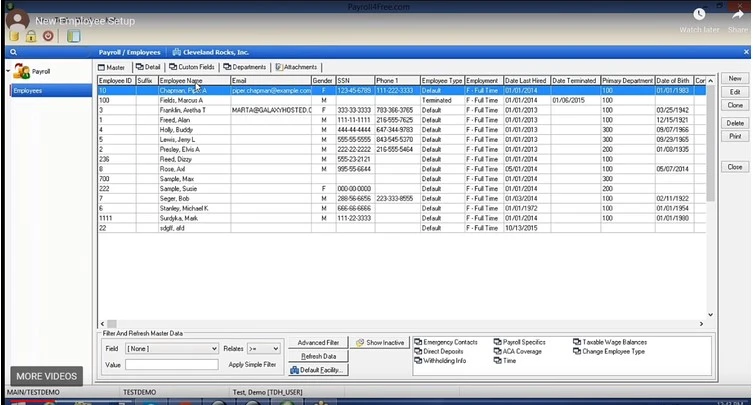
Payroll4Free lets very small businesses set up payroll without paying for software. The core tools are free for companies with up to 10 employees, and they cover paycheck calculations, tax deductions, reporting, and an employee portal. The service is ad-supported, which is how it stays free.
Tax filing and direct deposit through Payroll4Free's bank are now paid add-ons, so factor that in if you need them. It is best for small teams that do not mind a basic interface and some manual work. It also integrates with QuickBooks and Xero.
Pros
- Free for up to 10 employees
- Covers all the basic payroll tasks
- Integrates with QuickBooks and Xero
- Easy to use
Cons
- Contains ads
- Tax filing and bank direct deposit cost extra
How to Choose the Best Payroll Solution for Your Needs
Before you pick payroll software, weigh a few factors so you get the best value for your money. Shortlist tools that check every box below. These points do not favor any single provider. If a service fits this guide well, it is simply a good payroll system.
Define Your Payroll Needs
Get clear on what your business needs before you start shopping. Answer a few quick questions first:
- How many employees do you have?
- How large is your business?
- Will employees get benefits?
- Will you print pay stubs for employees?
- How often will you run payroll?
Use your answers to compare the systems above. Your ideal provider should solve all of these needs in one place.
Decide How Much Reporting You Need
The right software should handle your reporting and analytics. Make sure it can meet your reporting demands and produce accurate reports on payroll, taxes, and labor costs.
Check Payroll Compliance
Confirm the software keeps you compliant at the federal, state, and local levels. Strong compliance support helps you avoid costly penalties and financial losses. This matters most if you pay people in more than one state.
Compare Features and Benefits
Look closely at what each plan includes, both the must-haves and the extras. Common features include tax filing, self-service portals, time tracking, and integrations. Comparing these side by side helps you get the best value.
Use Free Trials
Software can look great on paper, so test it before you commit. Use free trials to see how each tool actually works for your team. Even limited trials show you what to expect day to day.
You can also read our payroll advice for small businesses for more insight. To practice, grab a free payroll template and try it on a sample team.
How Does Payroll Software Work?
Payroll software calculates each employee's gross pay and subtracts the required deductions. It then deposits the net pay into the worker's bank account or prints a check. Most tools also pay employee taxes and expenses automatically, with no manual approval needed.
Who Should Use Payroll Software?
Payroll software suits any business that employs workers. It does not matter if they are full-time, part-time, or contract. The software tracks required items like payroll taxes and makes sure everyone is paid the right amount on time.
What Does Payroll Software Cost?
In 2026, most small-business payroll software charges a base fee of about $17 to $80 per month, plus $4 to $12 per employee each month. Budget tools like Patriot start at $17/month, while premium plans with deep HR can run $130 to $180 or more.
Most providers are cloud-based, so you pay a monthly subscription much like any software service. That fee covers updates, support, and access to features. A few options, like Payroll4Free, are free for very small teams, though they offer fewer features than paid plans.
What Should I Look for in Payroll Software?
A workforce spread across locations is harder to manage, and human error creeps in as headcount grows. The same risk hits small teams running payroll by hand. Good software removes that error and pays everyone on time. Here are the features to prioritize.
A Unified Payroll System
Choose software with well-integrated tools so you can monitor and process data in one place. Integration boosts performance and keeps you compliant across the organization. It also improves the employee experience and gives you real-time reports.
Efficient Employee Management
Cutting repetitive tasks raises efficiency and productivity. Automating salaries and expenses makes management easier and keeps clean records for you. Look for a system that reduces manual work at every step.
Time and Attendance Tracking
The best systems include time and attendance tools that support swipe cards, biometrics, and facial recognition. Tracking hours automatically saves you from checking in on staff yourself. You can spend that time on higher-value work instead.
Can You Manage Payroll on Your Own?
Yes, you can manage payroll yourself, either with software or fully by hand. Either way, you have to gather the right information first. Doing it manually is tedious and risky, so be careful to avoid costly mistakes. Our guide on how to do payroll yourself walks through the steps.
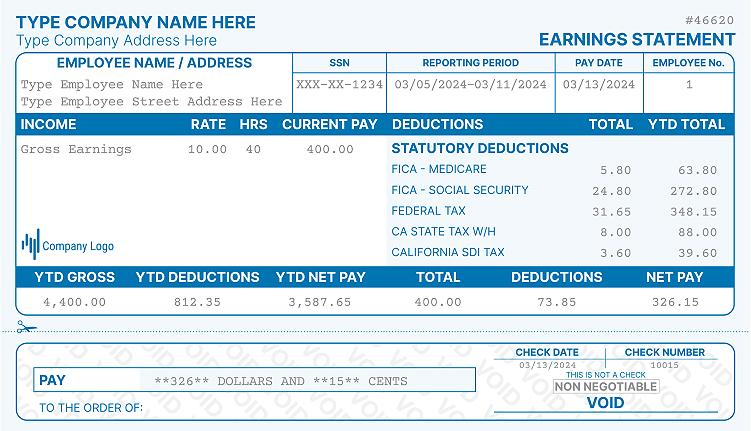
If you run payroll manually, you still need to give each worker a clear pay stub. A pay stub generator creates a professional pay stub in minutes without a full subscription. At year-end, you also need to issue W-2 forms, which you can build with a W-2 form maker if you handle filings on your own.
Final Thoughts on the Best Payroll Solution
Running payroll can feel tricky and time-consuming. The right system automates the whole process and saves you time and money. Finding the right fit is key to easier business administration.
For small businesses, watch the cost, since most plans price by employee count. Know the features you are getting before you commit, and make sure the tool is simple to set up and use. Gusto, OnPay, and Patriot are safe starting points for most teams.
Finally, pick a provider that takes security seriously. The best systems use encryption, biometrics, and strong password protection across their apps and sites. Never settle for software that is poorly secured, since a breach can expose your company's data.

Kristen Larson is a payroll specialist with over 10 years of experience in the field. She received her Bachelor's degree in Business Administration from the University of Minnesota. Kristen has dedicated her career to helping organizations effectively manage their payroll processes with Real Check Stubs.
Our all Posts