How to Get a Check Stub From Food Lion

You can get your Food Lion pay stubs and W-2s through ADP at my.adp.com, the payroll system Delhaize America (Food Lion's parent company) uses for associates. Register once with your Social Security number, employee ID, and ZIP code, then view or download any stub or tax form as a PDF. This guide covers the full login, the working portal links, and what to do if you have left Food Lion or lost your login.
How to Get Pay Stubs from Food Lion (Step-by-Step Guide)
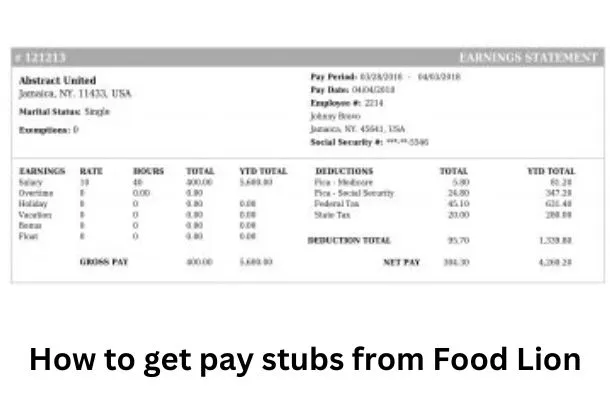
Food Lion runs payroll through ADP, so your pay stubs and tax forms live in your ADP account. The same Food Lion employee login also lets you update direct deposit and tax withholding. Here is how to access your Food Lion online paystub:
- Go to ADP at my.adp.com. Click "Create Account" if you are new, or "Sign In" if you already have ADP credentials.
- Choose "I have a registration code" and enter the Delhaize America code, typically DELHAIZE-CMX. If it does not work, ask HR for the current code.
- Verify your identity with your Social Security number, Food Lion employee ID, and 5-digit home ZIP code.
- Open the "Pay" section for pay stubs, or "Tax Statements" for your W-2.
- View, download, or print any document as a PDF.
Current associates can also reach the Delhaize America self-service portal, usually from a store or company device. The older myhr4u.com link is no longer reliable, so use ADP instead.
| Your status | How to get your pay stubs and W-2 |
|---|---|
| Current employee | Log in to ADP (my.adp.com) or the Delhaize portal at ws4.delhaize.com |
| Former employee | Log in to ADP at my.adp.com, since your account stays active for past records |
| Locked out of ADP | Call Food Lion HR at 1-800-210-9569 |
What Information Do I Need to Get a Pay Stub From Food Lion?
To set up and use your ADP account, have these ready:
- Your Social Security number
- Your Food Lion employee ID
- Your 5-digit home ZIP code
- The Delhaize America registration code (typically DELHAIZE-CMX) for first-time setup
- An email or phone number for identity verification
Why May You Need Your Pay Stubs From Food Lion?
Your Food Lion employee pay stub can be useful in several situations:
- Tax filing: Pay stubs show your income and withholdings, which help when you file your tax return.
- Proof of income: Loan applications, apartment leases, and benefit programs often ask you to verify income, and a pay stub does the job.
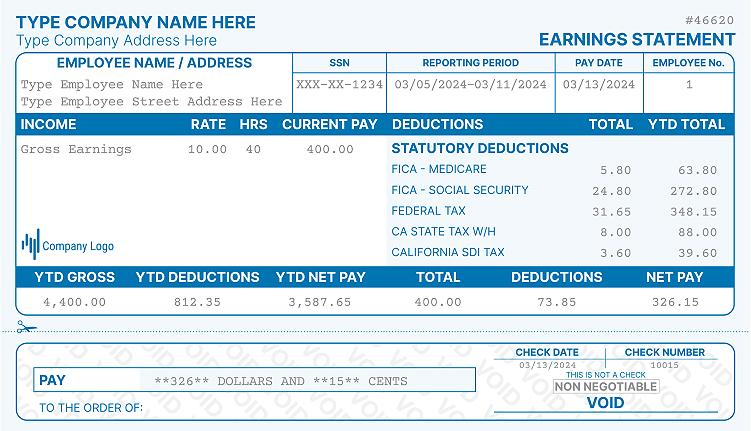
- Tracking earnings: Stubs let you check hours, deductions, and net pay so you can catch any payroll errors early.
What to Do If You Don't Work at Food Lion Anymore
Good news for former associates: your ADP access usually continues after you leave. You can still pull old pay stubs and a Food Lion W2 for former employees by logging in at my.adp.com with the same credentials.
If you cannot log in, call Food Lion HR and Delhaize America payroll at 1-800-210-9569. W-2 records are kept for at least seven years, so older years are available on request. For income or employment verification, lenders and landlords can use Experian Verify at experianverify.com or 404-382-5400. You can also recover pay stubs from a previous job using a few simple methods.
Can I Make My Own Pay Stubs at Home?
Can you create your own pay stubs at home? Yes, and it is a fast way to keep a clean personal record of your earnings, taxes, and deductions. If you need one quickly, a pay stub generator can build an accurate stub in a few minutes.
Just keep in mind that a self-made stub is for your own records. Using a falsified stub to mislead a lender or landlord is illegal.
Do I Need Authorization If I Make My Own Pay Stubs Online?
You do not need Food Lion's permission to make your own pay stubs online. They are valid for personal record keeping, but an official ADP stub is best when you need verified proof of income.
FAQs
How do I look up my W-2 and pay stubs for Food Lion?
Log in to ADP at my.adp.com. Open the Pay section for stubs and Tax Statements for your W-2, which is usually posted by January 31. You can download or print each one as a PDF.
Does Food Lion have an app to check work schedule and payroll?
Food Lion has no separate payroll app, but ADP offers the free ADP Mobile Solutions app. Log in with your ADP credentials to view pay and tax forms on your phone. Work schedules are handled through your store or the Delhaize portal, so check with your manager.
How do I log in to the Food Lion employee portal?
Current associates log in at my.adp.com or the Delhaize America portal at ws4.delhaize.com. First-time ADP users register with the DELHAIZE-CMX code, plus their SSN, employee ID, and ZIP. The older myhr4u.com link no longer works reliably.
What if I can't remember my Food Lion login ID or password?
Use the "Forgot User ID" or "Forgot Password" link on the ADP login page. You verify your identity with the contact details on file. If you are still locked out, call HR at 1-800-210-9569.
How do I get my W-2 from Food Lion as a former employee?
Log in to ADP at my.adp.com, since former employees keep their access for past tax forms. If you cannot get in, call HR at 1-800-210-9569, and remember records are kept at least seven years. To rebuild a copy for your own files, you can use a W-2 form maker.
Final Thoughts on Getting Pay Stubs from Food Lion
ADP makes it simple to view and download your Food Lion pay stubs and W-2, whether you still work there or not. Keep your login details safe, and reach HR at 1-800-210-9569 if you get locked out. If you want a quick personal copy, Real Check Stubs can help, and you can also see how to get a check stub.

Kristen Larson is a payroll specialist with over 10 years of experience in the field. She received her Bachelor's degree in Business Administration from the University of Minnesota. Kristen has dedicated her career to helping organizations effectively manage their payroll processes with Real Check Stubs.
Our all Posts