How to get pay stubs from IHSS in 2026 (step-by-step guide)

Getting pay stubs from IHSS is done through the Electronic Services Portal (ESP) at etimesheets.ihss.ca.gov.
The process takes a few steps to set up, but once you're registered, you can view, download, and print your pay stubs anytime. Here's exactly how to do it.
How to Get Pay Stubs from IHSS (Step-By-Step Guide)
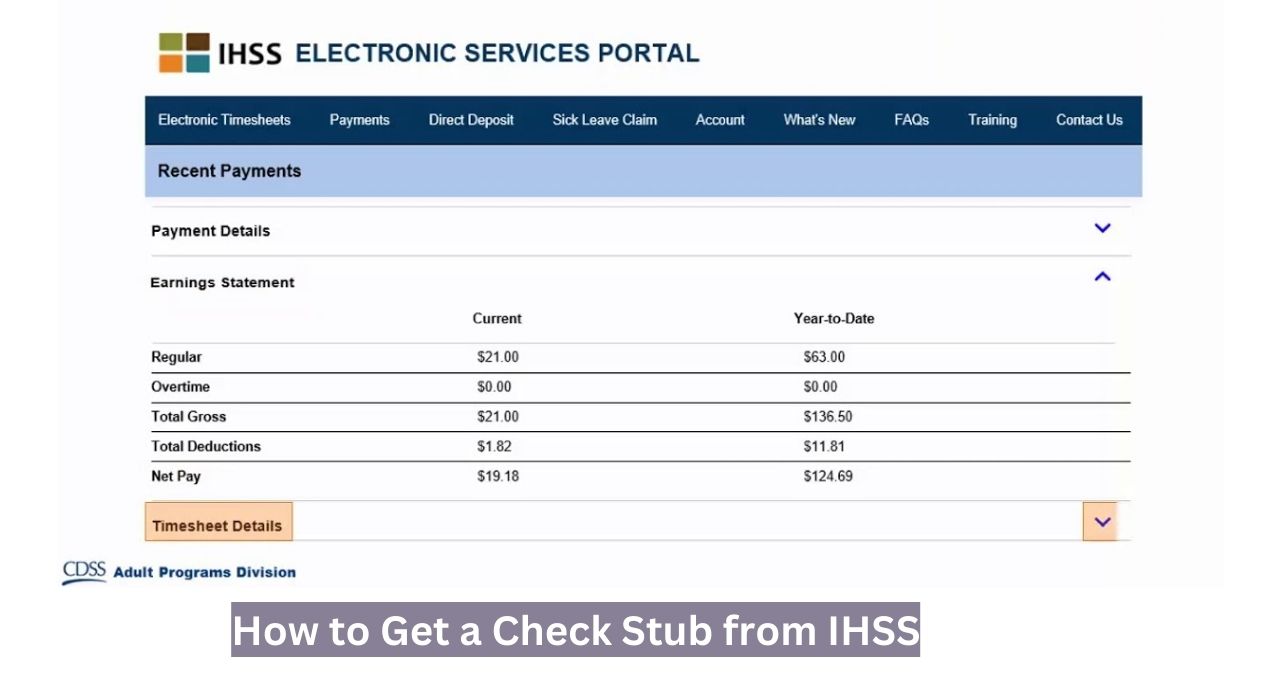
The process to get your pay stubs from IHSS is a long one. Although an online portal mentions the employee's details and net pay, it does not provide proper pay stubs. The steps below mention everything regarding logging into IHSS pay stub portal and getting your pay stubs.
- Open the Electronic Time Sheets website.
- Scroll down, and you should locate a link to the portal at the end of the page.
- If you are a new employee, select the “Register Now” button on the login portal.
- On this window, select the 'I am Provider' option.
- After that, provide the information prompted. In case you don't have an SSN, you can use your ITIN.
- If you have successfully saved your information, you now have your provider account on IHSS.
- Log in with the login credentials you provided on the application form.
- Here, you can access your payments and other details, including your timesheet.
- To get your pay stub, send a mail to IHSS-PAYROLL@SACCOUNTY.NET mentioning your query.
- If you are an old bee and prefer the paper method, send a postal mail to this address: P.O. Box 269131 Sacramento, CA 95826.
What Information Do I Need to Get a Pay Stub from IHSS?
The information needed to get your pay stub from IHSS is the following:
- Legal name
- Email address
- Date of birth
- ITIN or SSN
- Provider Number (comes in nine digits)
- Password
Why May You Need Pay Stubs from IHSS?
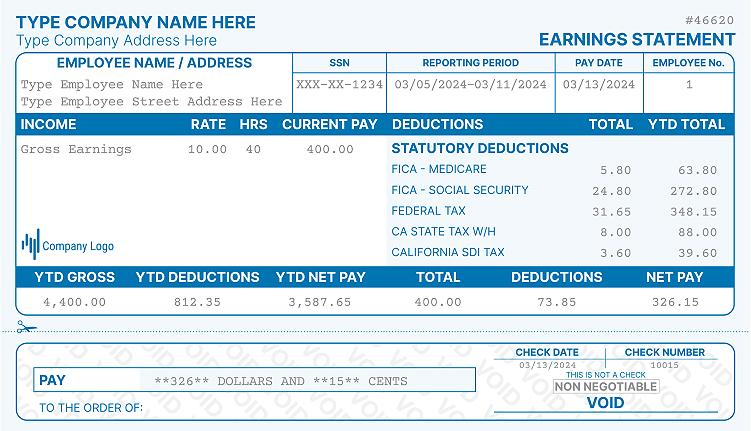
Pay stubs are required for income verification, rental applications, loan approvals, and filing federal and state taxes. If you do not submit a W-4 and DE-4 form to IHSS, taxes will not be automatically withheld from your wages. Keeping accurate pay stub records protects you at tax time and any time you need to verify your earnings.
What to Do If You Don't Work at IHSS Anymore?
If you no longer work as an IHSS provider, you lose access to the ESP. However, you can still request your pay stubs through two other methods.
- By email: Send your request to IHSS-PAYROLL@SACCOUNTY.NET. Include your provider number and the pay periods you need.
- By mail: Send a written request to P.O. Box 269131, Sacramento, CA 95826.
Both current and former providers can use these methods. The process is the same either way.
Check this article on how to recover pay stubs from a previous job.
Can I Make My Own Pay Stubs at Home?
Yes. If you need a pay stub quickly for income verification and have your IHSS payment information available, you can use a pay stub generator to create a professional document.
Use the earnings and deduction details from your ESP payment history to fill in the amounts accurately.
Keep in mind that self-generated pay stubs may require supporting documentation in some cases, such as bank statements or your IHSS payment records.
Do I Need Authorization If I Make My Own Pay Stubs Online?
In many cases, yes. Lenders, landlords, and government agencies often want to verify income through official documents. A W-2 form or official ESP printout is typically the strongest proof. You may be able to supplement with a self-generated stub, but check with the requesting party first.
Frequently Asked Questions (FAQs)
How to look up my W2 form and pay stubs for IHSS?
You can access both through the ESP at www.etimesheets.ihss.ca.gov. If you need copies sent to you directly, email IHSS-PAYROLL@SACCOUNTY.NET or mail a request to P.O. Box 269131, Sacramento, CA 95826.
Does IHSS have an app or way to check the work schedule and payroll?
The IHSS online portal will help you to check your work schedule and payroll.
How do I log in to the IHSS Employee app/online portal?
Yes. The Electronic Services Portal works on smartphones and tablets through any mobile browser. Non-live-in providers are also required to use the IHSS EVV Mobile App to check in and out at the beginning and end of each workday.
What if I can't remember my IHSS Login Password & I.D.?
Use the forgot password option if you don’t remember your login details. You will get a reset link with which you can renew your password.
How can I make sure my application was received?
You can review your application status by sending a mail to IHSS-PAYROLL@SACCOUNTY.NET.
How do I contact IHSS support for pay stubs?
You can use their email address (IHSS-PAYROLL@SACCOUNTY.NET) and phone number: (866) 376-7066, for support on pay stubs release.
Final Thoughts on Getting Your IHSS Pay Stub Online
Getting your IHSS pay stubs is straightforward once you're set up on the Electronic Services Portal. Register at etimesheets.ihss.ca.gov, navigate to your payment history, and download your stubs directly. If you ever need a pay stub quickly and have your earnings details on hand, a paystub generator can help you create a clean, professional document in minutes. For any issues with access or missing pay stubs, the IHSS Service Desk at (866) 376-7066 is your best point of contact.
More portal guides
Steps for other employers: Coca-Cola Consolidated (CCBCC), PepsiCo, FedEx. The full directory is in my pay stub portal guides hub, and if the portal is a dead end, the pay stub generator rebuilds your stub from your real pay details.

Kristen Larson is a payroll specialist with over 10 years of experience in the field. She received her Bachelor's degree in Business Administration from the University of Minnesota. Kristen has dedicated her career to helping organizations effectively manage their payroll processes with Real Check Stubs.
Our all Posts