How Do You Get a Check Stub From PepsiCo?

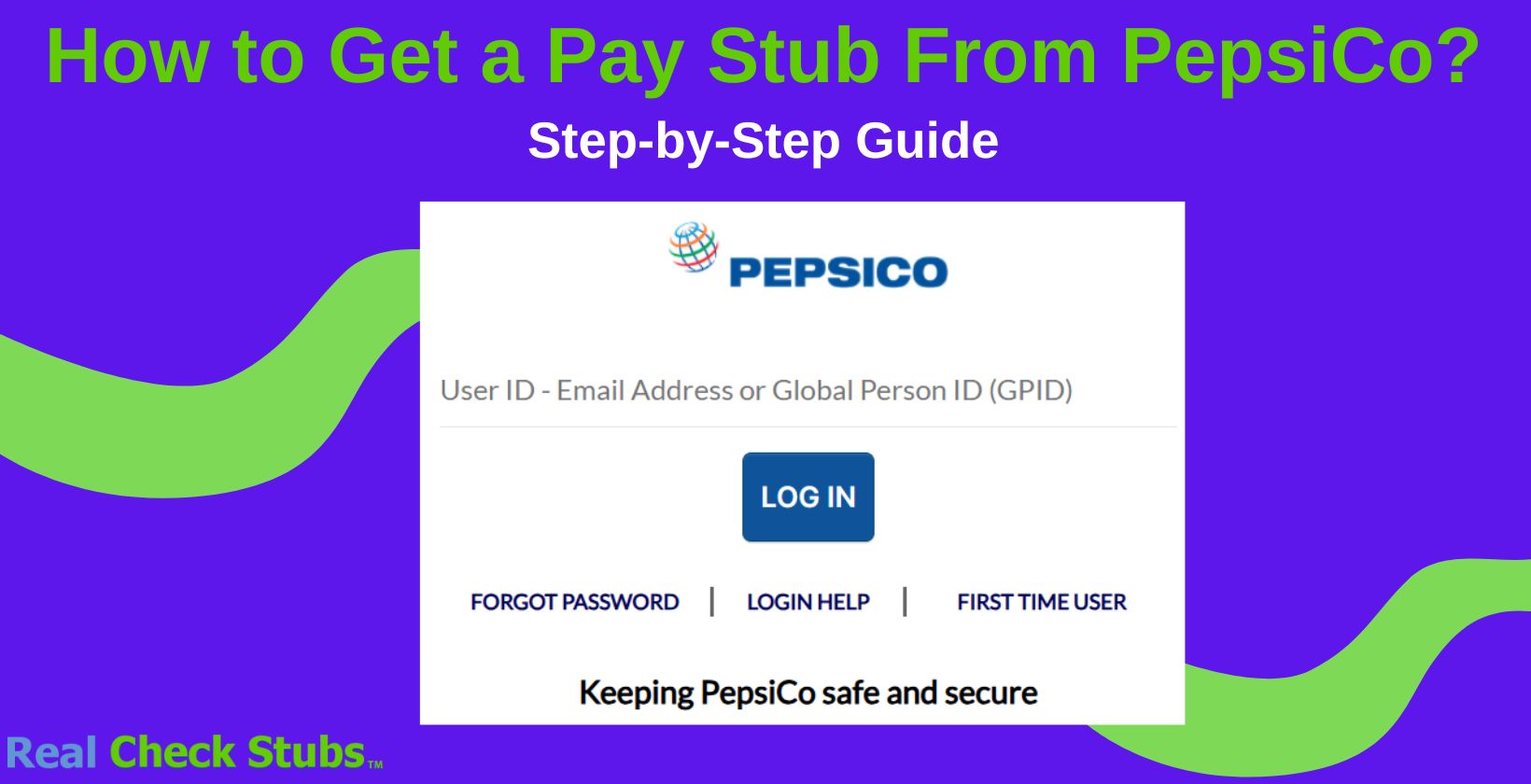
You can get your PepsiCo pay stub by logging into the MyPepsiCo employee portal at mypepsico.com and opening the payroll section. Most current employees can do this in under five minutes with no HR request needed.
If you've left the company or can't log in, PepsiCo's HR and payroll teams can send you a copy instead.
Here's exactly how to find your pay stub online, fix common login problems, and get one after you've left PepsiCo.
How to Get Pay Stubs From PepsiCo (Step-By-Step Guide)
If you're a current PepsiCo employee, your pay stubs live inside the MyPepsiCo portal. The app recently merged with PepsiCo's myServices platform, so the login screen may look different than it used to, but the steps below still apply.
Step 1: Go to the MyPepsiCo Portal
Open your browser and go to mypepsico.com. You can also use the mypepsico mobile app, though several users report the web version loads faster and logs in more reliably after the recent update.
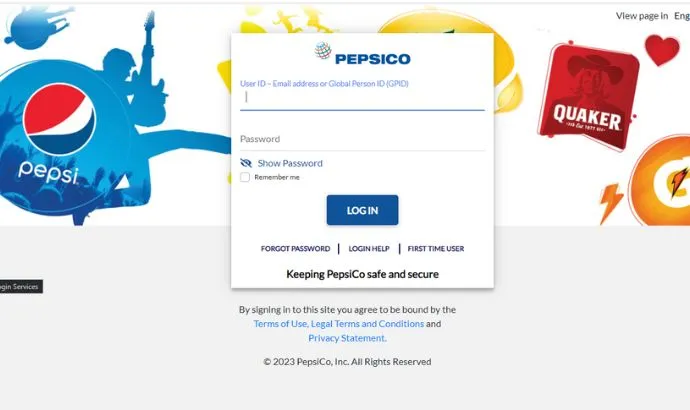
Step 2: Enter Your Login Credentials
Enter the username and password issued by PepsiCo's HR department. First-time users usually need to register through PepsiCo's identity manager (myidM) before the portal will let them in.
Step 3: Find the Payroll Section
Once you're logged in, look for the "Payroll" or "Pay" tile on your dashboard. Select "Pay Stubs" to see a list of recent pay periods.
Step 4: Download Your Pay Stub
Choose the pay period you need and download it as a PDF, or print it directly from the browser. Save a digital copy for your own records in case you need it again later.
| Method | Best For | What You'll Need |
|---|---|---|
| MyPepsiCo portal (web) | Current employees, fastest option | Employee username and password |
| mypepsico app | Checking stubs on the go | Same login, app installed on your phone |
| HR or Payroll request | Former employees or locked-out accounts | Employee ID and dates of employment |
What Information Do I Need to Get a Pay Stub From PepsiCo?
You need your MyPepsiCo login credentials to view pay stubs online. Your manager or HR department typically issues these when you're hired, along with instructions for first-time registration through PepsiCo's identity portal.
Why You May Need Pay Stubs From PepsiCo
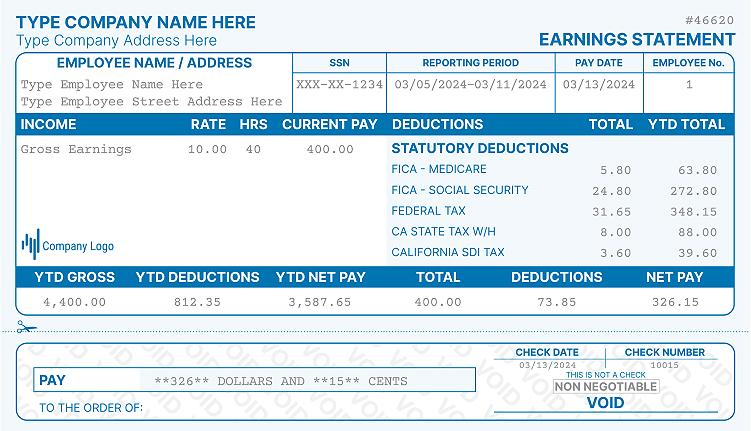
- Tax purposes: Pay stubs help with filing tax returns because they show your earnings, deductions, and taxes withheld.
- Loan applications: Lenders often require recent pay stubs when you apply for a mortgage or car loan.
- Employment verification: Pay stubs can serve as proof of employment for government assistance programs like Medicaid or SNAP.
- Personal financial management: Keeping track of your pay stubs gives you a clear picture of your earnings and deductions over time.
What to Do if You Don't Work at PepsiCo Anymore
Former employees sometimes keep temporary access to the MyPepsiCo portal after their last day, so try logging in with your existing credentials first. If that doesn't work, contact PepsiCo's HR or payroll department directly to request copies of your past pay stubs.
W-2 forms are usually handled through a separate tax document portal rather than MyPepsiCo itself, so ask HR which system applies to your specific PepsiCo division. If you need proof of income right away while you wait on a response, you can make a pay stub using your own records as a temporary reference document.
Can I Make My Own Pay Stubs at Home?
Yes, you can get a pay stub from online tools like a paystub generator. These tools let you enter your earnings and deduction details and generate a stub you can print or save as a PDF.
If you're trying to track down pay stubs from a previous employer, Real Check Stubs is worth trying as an alternative while you wait on HR.
Do I Need Authorization if I Make My Pay Stubs Online?
You can create your own pay stubs without permission for personal use. You'd only need PepsiCo's approval if you were creating stubs on the company's behalf, since unauthorized use can lead to fines or legal trouble with tax filings and loan applications.
FAQs
How Do I Check My Pay Stubs on PepsiCo?
Log in to the MyPepsiCo portal at mypepsico.com with your employee credentials, then open the Payroll or Pay section to view and download your stubs. The mypepsico app uses the same login if you'd rather check from your phone.
How Do I Log Into My MyPepsiCo Account?
Go to mypepsico.com or open the mypepsico app and sign in with the username and password issued by PepsiCo HR. First-time users typically need to register through the myidM identity portal before their login will work.
Why Can't I Log Into MyPepsiCo?
Most login problems come from an expired password, incomplete identity verification, or the recent app and portal update. Try resetting your password, clearing your browser cache, or switching to the web version, and contact PepsiCo's Service Desk if it still won't work.
What if I Forget My PepsiCo Login Password or ID?
Use the "Forgot Password" or "Forgot ID" link on the login page and follow the prompts. You'll usually need your employee ID or corporate email to verify your identity before your access is reset.
How Do I Look Up My W-2 Form and Pay Stubs for PepsiCo?
Pay stubs live in the MyPepsiCo portal, while W-2 forms are typically issued through a separate tax document system. Contact PepsiCo's HR or payroll department if you can't locate either one.
Does PepsiCo Have an App to Check Pay Stubs and Schedules?
Yes. The mypepsico app, now merged with PepsiCo's myServices platform, lets employees check pay stubs, schedules, benefits, and company news in one place.
How Do I Contact PepsiCo Support for Pay Stub Issues?
Reach out to PepsiCo's HR or payroll department directly, or submit a request through the Service Desk inside the MyPepsiCo portal. Have your employee ID ready so they can process your request faster.
Final Thoughts on Getting Pay Stubs From PepsiCo
How do you get a check stub from PepsiCo? Log into MyPepsiCo if you're a current employee, or contact HR and payroll if you've left the company or can't get into your account.
As of 2026, MyPepsiCo remains the fastest way to grab a copy in minutes. We hope this guide helped. Good luck!
More portal guides
Steps for other employers: FedEx, Verizon, HCA Healthcare. The full directory is in my pay stub portal guides hub, and if the portal is a dead end, the pay stub generator rebuilds your stub from your real pay details.

Kristen Larson is a payroll specialist with over 10 years of experience in the field. She received her Bachelor's degree in Business Administration from the University of Minnesota. Kristen has dedicated her career to helping organizations effectively manage their payroll processes with Real Check Stubs.
Our all Posts