Paystub Generator & Check Stub Maker Three quick steps — your stub builds itself as you go.

REAL CHECK STUBS
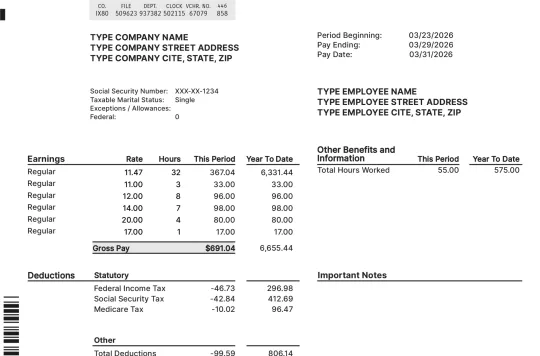
1 of 9 Basic paystub template preview
Level 1

Basic

The most common pay stub format. Covers gross pay, taxes, deductions, and net pay.

Use Basic Format

Included on every stub:

  • Gross pay, hours, and rate breakdown
  • Federal and state tax withholdings
  • Social Security and Medicare (FICA)
  • Net pay calculation
  • PDF download — print-ready
All 9 Basic templates — tap to preview:
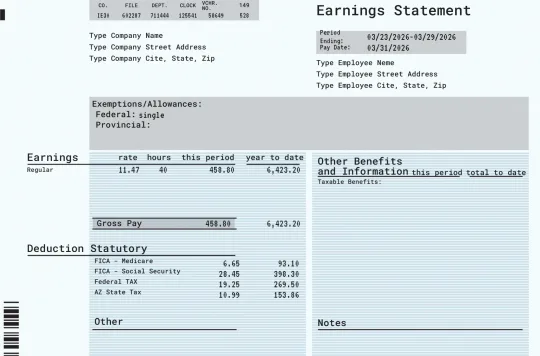
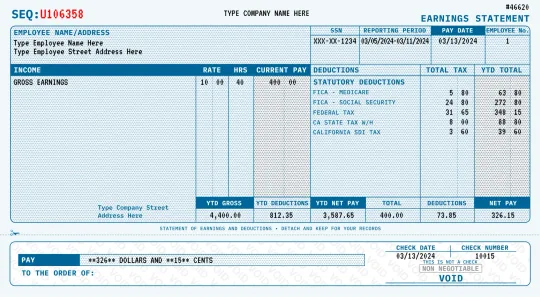
1 of 6 Modern paystub template preview
Level 2

Modern

The same trusted stub with a clean, contemporary design.

Use Modern Format

Everything in Basic, plus:

  • Clean, contemporary layouts and typography
  • Same automatic tax calculations as Basic
  • Multiple design variations to choose from
All 6 Modern templates — tap to preview:
Pay stub template thumbnails

21 templates available

Browse all formats and layouts

Browse Templates →

We've Helped 1,376,941 Customers Create Paystub Templates

4.93 out of 5 from 1,083 verified reviews

Make Pay Stubs Online in 3 Steps

01

Select Your Paystub Template

Choose from Basic or Detailed formats to match your needs.

02

Enter Employee and Business Details

Fill in names, addresses, pay rate, and pay period information.

03

Add Taxes and Deductions

Federal, state, FICA, and custom deductions calculated automatically.

04

Customize and Review Your Stub

Preview your pay stub and make any final adjustments.

05

Download, Save, and Share

Get your print-ready PDF instantly via download or email.

Pay Stub Creator for Employees, Contractors & Self-Employed

Use it as a pay stub creator for W-2 employees, a paycheck stub maker for hourly teams, or a paycheck stub generator for 1099 contractors and self-employed income. Every paycheck stub is calculated from current federal and state tax tables — gross pay, FICA withholdings, state income tax, and year-to-date totals — so the stub you create matches what a payroll system would produce.

Works in all 50 states, with state income tax calculated automatically: Alabama, Alaska, Arizona, Arkansas, California, Colorado, Connecticut, Delaware, Florida, Georgia, Hawaii, Idaho, Illinois, Indiana, Iowa, Kansas, Kentucky, Louisiana, Maine, Maryland, Massachusetts, Michigan, Minnesota, Mississippi, Missouri, Montana, Nebraska, Nevada, New Hampshire, New Jersey, New Mexico, New York, North Carolina, North Dakota, Ohio, Oklahoma, Oregon, Pennsylvania, Rhode Island, South Carolina, South Dakota, Tennessee, Texas, Utah, Vermont, Virginia, Washington, West Virginia, Wisconsin, Wyoming.

Why 1.3M+ Customers Choose Our Check Stub Maker

1

Save Money on Payroll

Professional pay stubs starting at $8.99 — no software subscriptions needed.

2

Go Paper-Light and Reduce Admin

Digital stubs eliminate paper clutter and simplify record-keeping.

3

Instant Download and Anytime Access

Download your PDF immediately or access it later from your account.

4

Accessible on Any Device

Create pay stubs from your phone, tablet, or computer.

5

User-Friendly and Fully Editable

Simple interface with the ability to edit and regenerate at any time.

6

Accurate Records for Taxes and Audits

Calculations use current tax tables for reliable documentation.

What's Included in Every Pay Stub

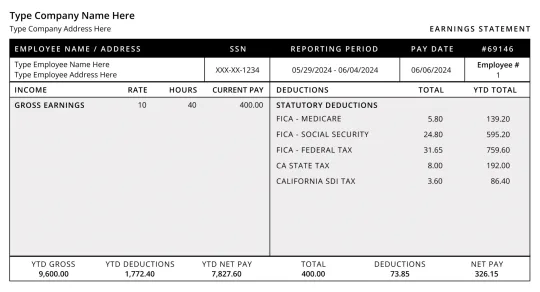
Gross Pay
Federal Income Tax
State Income Tax
Social Security (OASDI)
Medicare
Net Pay
YTD Totals

About Real Check Stubs

Real Check Stubs is the leading online paystub generator trusted by over 1.3 million customers. We provide fast, accurate, and affordable pay stub creation for employees, contractors, and small business owners across the United States. Our platform handles all tax calculations automatically and delivers professional, print-ready documents in minutes.

FAQs About Paystub Generators

What is a paystub generator?

A paystub generator is an online tool that creates professional pay stubs with accurate tax calculations, deductions, and earnings breakdowns. It automates federal, state, FICA, and YTD calculations.

How long does it take to create a pay stub?

Most users complete their pay stub in under 2 minutes. Select a template, enter your information, and download your PDF instantly.

Are the tax calculations accurate?

Yes. Our generator uses current federal and state tax tables to calculate withholdings, Social Security, Medicare, and other deductions automatically.

Is the year-to-date (YTD) on my stubs accurate?

Yes. YTD is computed automatically by adding every stub in the current calendar year - gross, taxes, and net each accumulate stub-over-stub with no manual entry. Like all real payroll, YTD covers January 1 to the stub date of the current year; earlier years appear on that year's stubs. Want it double-checked? Ask Sarah in the chat to verify your numbers live.

Can I customize deductions and earnings?

The Detailed format supports custom earnings (overtime, bonuses, commissions) and custom deductions (insurance, 401k, garnishments) with full YTD tracking.

What format is the pay stub delivered in?

Pay stubs are delivered as print-ready PDF files that you can download instantly, email, or print.

Can I add my company logo?

Yes. The Detailed format includes an option to upload and display your company logo on each pay stub.

Is my information secure?

We use industry-standard encryption to protect your data. Information is processed securely and never shared with third parties.

What is the best free pay stub generator?

The best approach is a generator with a genuinely free preview: build your full pay stub, see every tax line calculated, and pay only when you download. Real Check Stubs lets you preview your complete stub free — with federal and state withholdings computed from current tax tables — before any checkout.

Can ChatGPT or AI generate a pay stub?

General AI tools can format text but do not apply current federal, state, and FICA withholding tables, so the numbers are usually wrong. A dedicated paystub calculator uses up-to-date tax tables to compute gross pay, deductions, and net pay accurately.

How do I make a check stub?

1) Enter your pay rate and hours (or salary) — taxes calculate automatically. 2) Choose your pay dates and how many stubs you need. 3) Add the employee and company names, pick a template, preview free, and download the print-ready PDF.