← All pay stub templates

Executive Pay Stub Template

For employers

Executive is a formal Advanced variant with all-caps "SOCIAL SECURITY NUMBER" labeling, a Pay Period date range, and an Employee # (or Contractor #) line. Its earning rows use industry-specific labels (REGULAR-S, OT-SHOP, VACATION, HOLIDAY-S), giving a formal, trade-oriented record.

Disclaimer: Watermarks will be removed after purchase

Use similar template, from $8.99

Download blank PDF (free, watermarked) · View filled sample PDF
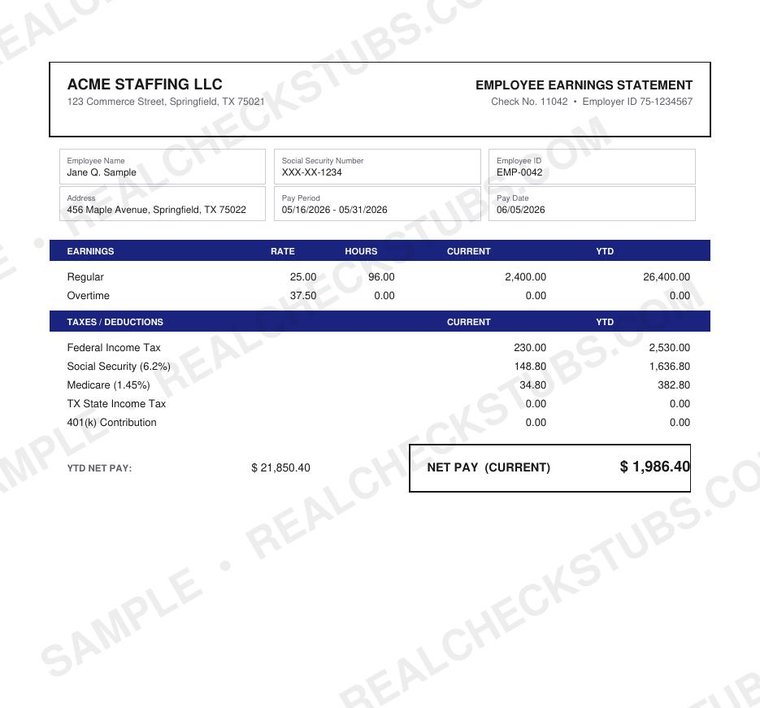
Executive (Advanced 6) pay stub template, watermarked sample with fictional data

What's on the Executive template

All fields below are filled and calculated automatically in the editor before you pay.

  • Formal layout with all-caps "SOCIAL SECURITY NUMBER" labeling
  • Pay Period date range and Employee # / Contractor # line
  • Industry-specific earning labels (REGULAR-S, OT-SHOP, VACATION, HOLIDAY-S)
  • Check No. in the deposit section
  • Optional deposit slip (Check Date)

Best for: a formal record with trade-oriented, industry-style earning labels.

How it works

  1. Enter your company, worker and pay details
  2. Preview the complete Executive stub, with every federal, state, FICA and Medicare calculation shown and watermarked
  3. Pay from $8.99 and download the watermark-free PDF instantly

Make Pay Stub

Executive template FAQ

What's unusual about Executive's earnings?

It uses industry-specific labels rather than generic ones.

Does it support contractor mode?

Yes, the worker line switches to Contractor #.

Related Advanced templates

More layouts in the Advanced family.

Ledger Pro Advanced 7 Payroll Pro Advanced Corporate Advanced 2 Detail Grid Advanced 3 Full Account Advanced 4

← Browse all 21 pay stub templates