How to Access Your LAUSD Pay Stub Online

To get your LAUSD pay stub, log in to the Employee Self-Service (ESS) portal at ess.lausd.net with your LAUSD single sign-on, then open the pay stub section to view, download, or print it. That works instantly for current employees who have an active LAUSD email account.
Former employees, and anyone who cannot log in, use a separate route. It is worth knowing before tax season or your next rental application.
Key Takeaways
- Current employees access pay stubs through the Employee Self-Service (ESS) portal at ess.lausd.net using their LAUSD single sign-on (SSO).
- You need an active LAUSD email account to log in. Former employees cannot use ESS and must call the Payroll Customer Service Branch at (213) 241-6670.
- ESS also stores your time statements, W-2, and W-4, all downloadable as PDFs.
- For MyPay or login help, contact Payroll Support Services at payrollsupport@lausd.net or (213) 241-2570 (Monday to Friday, 8:00 a.m. to 4:00 p.m.).
- Certificated staff are generally paid monthly; classified schedules differ. Always confirm the district's official cut-off and pay date calendar.
- Your pay stub is valid proof of income for loans and rentals. Never alter it. Use an official copy or The Work Number instead.
How to Access Your LAUSD Pay Stub Online
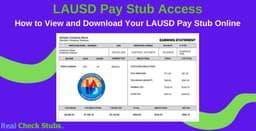
The fastest way to get your LAUSD pay stub is the ESS portal. It is the district's secure self-service system for viewing and downloading payroll records at any time. If you are a current employee with an active LAUSD email, you can pull any recent pay stub in under a minute.
Steps to view your LAUSD pay stub online:
- Go to ess.lausd.net in your browser.
- Log in with your LAUSD single sign-on (your full LAUSD email address and password).
- Open the Payroll or Pay Stub section of the portal.
- Select the pay period you want to view.
- Download the PDF or print a copy for your records.
What you will need:
- Your active LAUSD email address and SSO password
- A desktop or laptop computer (the payroll tool is built for a full browser)
- Access to the portal from inside or outside the district network
The payroll tool is designed for a desktop browser and may not display correctly on a Mac or mobile device. Mac users have historically needed a Citrix workaround, so if the page will not load, switch to a Windows PC or contact the LAUSD IT Help Desk.
LAUSD Pay Stub Access for Former Employees
Former employees usually cannot log in to ESS because the portal requires an active LAUSD email account, which is deactivated after you leave. If your login no longer works, do not spend time resetting it. Call the district's payroll team directly instead.
Contact the Payroll Customer Service Branch at (213) 241-6670 to request copies of past pay stubs. Have your details ready so they can verify your identity and locate your file quickly.
Information to have ready:
- Full legal name as it appeared on your paycheck
- Employee ID number, if you still have it
- Dates of employment (start date and last day worked)
- Current mailing address for any reissued copies
- The reason for your request (for example, a loan or rental application)
If you need an earnings record while you wait for the district to pull your file, you can use a pay stub generator to reconstruct your own records from your known pay rate, hours, and pay dates for legitimate personal recordkeeping.
Can't Log In? Fix Common ESS Problems
Most access problems come down to a forgotten password or a device that the payroll tool does not support. Work through these fixes before you call for help.
- Forgot your password: Use the single sign-on reset option, or contact the IT Help Desk to restore access to your LAUSD account.
- Page will not load: Switch to a Windows PC and a supported browser. The tool often fails on Mac and mobile.
- No active LAUSD email: If you are a former employee or your account is closed, skip ESS and call Payroll Customer Service at (213) 241-6670.
- MyPay questions: Email payrollsupport@lausd.net or call (213) 241-2570 during business hours.
Other Ways to Get Your LAUSD Pay Stub
ESS is the primary route, but a few other channels exist depending on your situation.
| Method | Best For | How to Reach It |
|---|---|---|
| ESS Portal | Current employees | ess.lausd.net (single sign-on) |
| Payroll Support Services | Login and MyPay help for current staff | payrollsupport@lausd.net, (213) 241-2570 |
| Payroll Customer Service Branch | Former employees or closed accounts | (213) 241-6670 |
| The Work Number | Lenders or landlords verifying income | Automated service given to the requester |
| W-2 and tax forms | Year-end tax filing | ESS, or a W-2 duplicate request through Payroll |
How to Read Your LAUSD Pay Stub
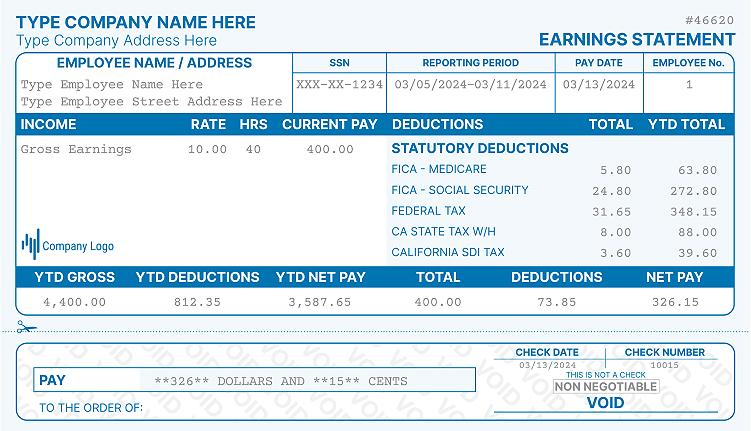
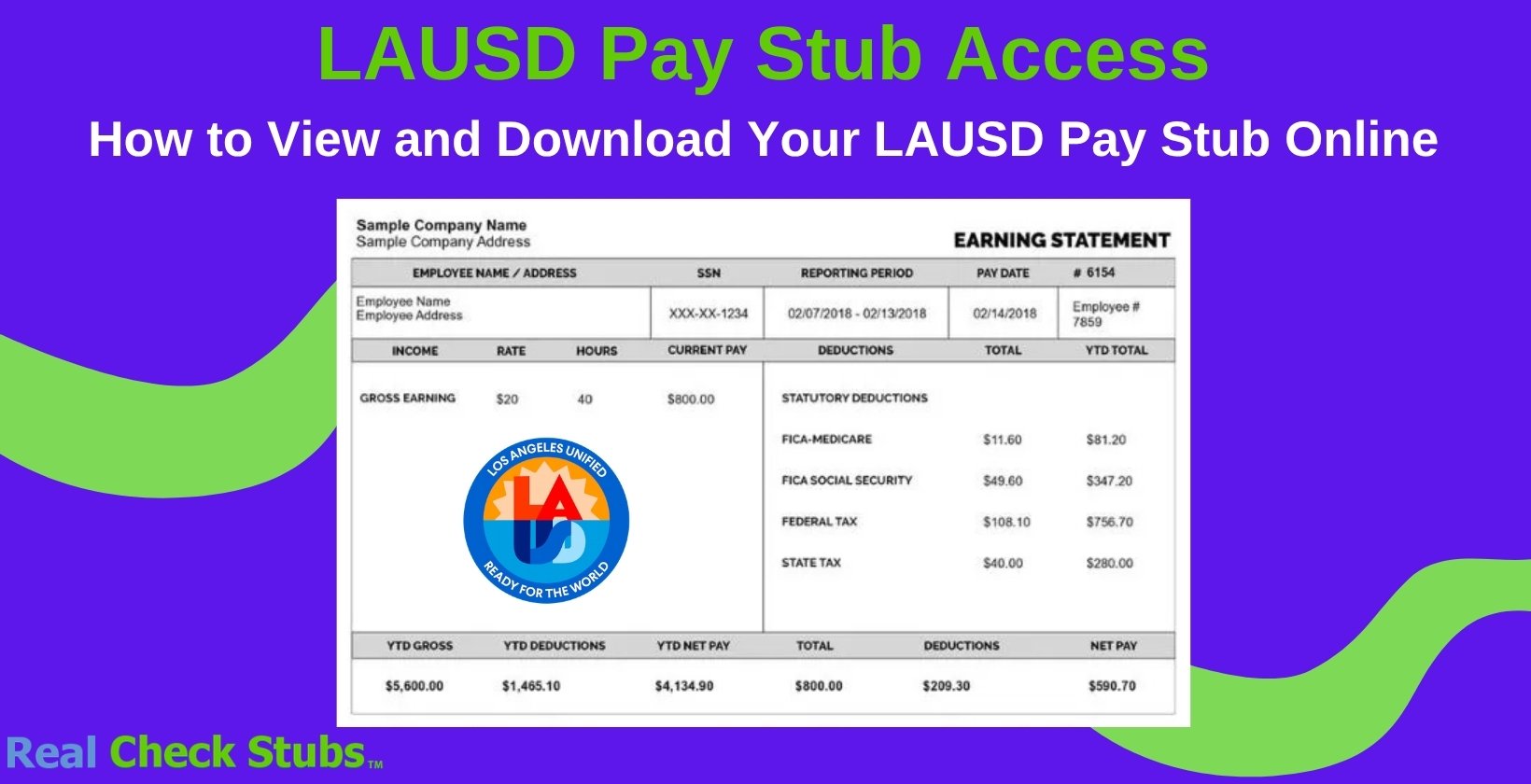
Once you download your pay stub, it helps to know what each line means. Your LAUSD pay stub breaks down gross pay, taxes, benefit deductions, retirement contributions, and net pay, along with year-to-date (YTD) totals.
| Section | What It Shows |
|---|---|
| Gross Pay | Total earnings for the pay period before any deductions |
| Federal and State Tax | Income tax withheld based on your W-4 and DE-4 elections |
| FICA | Social Security and Medicare withholding, where applicable |
| Retirement | CalSTRS contributions for certificated staff or CalPERS for classified staff |
| Benefit Deductions | Health, dental, vision, and other pre-tax deductions |
| Net Pay | Your take-home amount after all deductions |
| YTD Totals | Running yearly totals for earnings, taxes, and deductions |
If a number looks off, compare it against your prior stub and your benefit elections first. For unresolved discrepancies, contact Payroll Support Services to review your record.
When Does LAUSD Pay?
LAUSD pay dates depend on your employee group. Certificated employees, such as teachers, are generally paid monthly, with regular paydays scheduled around the 5th of the month.
Classified employees follow a different schedule. Because dates shift around weekends and holidays, always confirm the current year's official cut-off and pay date calendar through your site's MyPay contact or the Payroll Administration page.
Using Your Pay Stub for Income or Employment Verification
Lenders and landlords often ask for recent pay stubs alongside your W-2 to confirm income. For current employees, LAUSD also uses The Work Number, an automated service that lets approved parties verify employment and income without handling your documents directly.
Keep your official stubs organized so you can respond quickly to these requests. Tools like Real Check Stubs can help you maintain clean personal copies of your earnings history.
One warning: never edit or alter an official LAUSD pay stub before sending it to a lender, landlord, or agency. Modifying a wage document for submission is federal fraud, so always use an unaltered copy.
Frequently Asked Questions
How do I get my pay stub from LAUSD?
Log in to the Employee Self-Service portal at ess.lausd.net with your LAUSD single sign-on, open the payroll or pay stub section, and select the pay period you want. You can then view, download, or print the PDF.
How can a former LAUSD employee get pay stubs?
Former employees cannot use ESS once their LAUSD email account is deactivated. Call the Payroll Customer Service Branch at (213) 241-6670 and provide your name, employee ID, and employment dates to request copies.
How do I read my LAUSD pay stub?
Your stub lists gross pay at the top, followed by tax withholding, retirement contributions, and benefit deductions, ending with your net (take-home) pay. Year-to-date columns show your running totals for the year.
Does LAUSD pay monthly or semi-monthly?
Certificated employees are generally paid monthly, with paydays scheduled around the 5th of the month. Classified employees follow a different schedule, so check the district's current pay date calendar to confirm your dates.
Can I access LAUSD ESS on a phone or Mac?
The payroll tool is built for a desktop browser and may not work properly on a Mac or mobile device. Mac users may need a Citrix workaround, so a Windows PC is the most reliable option.

Allen Wood is an accomplished accountant with over 15 years of experience in the field.
Our all Posts