How to Access Your Subway Pay Stubs (Current & Former Employees)

Current and former employees can access their Subway pay stubs online through their franchise's payroll portal, usually ADP (my.adp.com) or QuickBooks Workforce, with some stores using Paychex, Paycom, Gusto, or AllianceHCM instead, once a manager grants access.
Because every Subway restaurant is independently owned, there is no single Subway pay stub website that works for every employee. The trick is knowing which payroll system your store runs, and this guide walks you through every route, whether you are a current associate or a former one.
Key Takeaways
- Subway is franchised, so there is no company-wide pay stub portal. Access depends on the payroll provider your specific store uses.
- The most common systems are ADP (my.adp.com) and QuickBooks Workforce. Subway's corporate headquarters runs payroll on AllianceHCM.
- Online access is not automatic. Your manager has to invite you before you can view your Subway paystub online.
- Payactiv is offered at participating locations for early access to earned wages. It is not where your official pay stub lives.
- Former employees usually keep the same login. If it no longer works, call Subway Franchise World Headquarters at 203-877-4281 or ask your old store's manager.
- Subway pay frequency is set by each franchise. Most locations pay weekly or biweekly by direct deposit.
Why Subway Pay Stub Access Works Differently
Subway is one of the world's largest fast-food franchises, with more than 37,000 restaurants. Almost every location is owned and run by an independent franchisee, not by the corporate company.
That ownership structure is the reason there is no universal Subway pay stub login. Each franchisee picks their own payroll provider, sets their own pay schedule, and controls who gets portal access.
So the first step is simple. Find out which payroll system your store uses, then follow the matching method below. If you are not sure, your store manager or shift lead can tell you in seconds.
What Payroll System Does Subway Use?
There is no single answer, but a handful of providers cover most Subway restaurants. Corporate offices use one system, while franchise stores tend to use another.
| System | Who Uses It | What It Is For |
|---|---|---|
| ADP (my.adp.com) | Many mid-size and large franchises | Official pay stubs and W-2s |
| QuickBooks Workforce (Intuit) | Smaller franchise owners | Official pay stubs and W-2s |
| Paychex, Paycom, or Gusto | Independent franchisees | Official pay stubs and W-2s |
| AllianceHCM | Subway corporate (Franchise World HQ) | Corporate payroll and HR |
| LiveIQ Labor | Franchise stores | Scheduling and time tracking (feeds payroll) |
| Payactiv | Participating stores | Early access to earned wages (not pay stubs) |
LiveIQ is worth knowing because it handles scheduling and time clocks, and it is the system managers use to send Payactiv invites. Your actual pay stub, though, comes from whichever payroll provider your franchise processes checks through.
Method 1: ADP Self-Service Portal
ADP is the system most Subway employees use to view pay stubs. If your store runs payroll through ADP, this is your fastest route.
Steps:
- Go to my.adp.com and log in with your credentials.
- Navigate to Myself → Pay → Pay Statement.
- Select the pay period you want to view.
- Download or print the pay stub as a PDF.
If it is your first time, you may need a registration code from your manager to create the account. Once you are set up, you can check pay stub online any time and pull past periods when you need proof of income.
Method 2: QuickBooks Workforce (Intuit)
Smaller Subway franchises often run payroll through QuickBooks, which delivers stubs via QuickBooks Workforce. Access here has to be turned on by your employer first.
Steps:
- Ask your manager to send you a Workforce invite (or submit a payroll portal invite request if your store offers one).
- Watch for an email from QBOPayrollNoReply@intuit.com with the subject line about finishing setup with your restaurant.
- Click "Get access for paychecks." This link works only once.
- Create your account on the QuickBooks Workforce site.
- Log in to view and download your Subway pay stubs.
Invites can take a few business days to arrive, so request access before you actually need the document.
Method 3: Ask Your Manager or Franchise HR
If you do not know your payroll system or your login will not work, your store manager is the fastest fix. Franchise owners can reprint a stub, resend a portal invite, or tell you exactly which provider they use.
Have this ready when you ask:
- Your full legal name and employee ID if you have one
- The last four digits of your Social Security number
- Your dates of employment
- A current email and mailing address
If you need a record of your earnings while you wait for portal access, a pay stub generator can help you create an accurate document for your own budgeting and personal recordkeeping.
Method 4: Payactiv (Early Wage Access, Not Pay Stubs)
Subway partnered with Payactiv so employees at participating stores can draw on wages they have already earned before payday. This is helpful for covering bills early, but it is a separate tool from your pay stub.
How it works:
- Your store manager sends a personalized invite link from the LiveIQ system.
- You create a free Payactiv account using that link. Do not share it with anyone.
- You can then transfer earned wages to your bank or card. Access fees are typically under $3 per transfer.
Payactiv also includes free budgeting, bill pay, and savings tools. Just remember that your official Subway paystub and W-2 still come from your franchise's main payroll portal, not from Payactiv.
How Former Employees Get Their Subway Pay Stubs
If you recently left Subway, your old payroll login usually still works for a while. Try signing in to ADP or QuickBooks Workforce first, since former employees generally keep the same credentials.
If your access has been shut off, you have two solid options. Contact your former store's manager and ask them to reprint or resend your stub, or call Subway Franchise World Headquarters at 203-877-4281 for account help.
Update your mailing address with the franchise before you separate if you can. It makes reissued stubs and your year-end W-2 far easier to receive.
Does Subway Pay Weekly or Biweekly?
It depends entirely on your franchise, because each owner sets their own schedule. There is no single Subway-wide pay cycle.
In practice, many Subway restaurants pay weekly, others pay biweekly, and a smaller number pay monthly. Most pay by direct deposit, so paper checks are rare. Your offer letter, your manager, or the deposit dates in your bank account will confirm your cycle.
How to Get Your Subway W-2
Your Subway W-2 comes from the same payroll system as your pay stubs. If your store uses ADP, your W-2 sits in the same Pay section as your regular statements, usually available in late January for the prior tax year.
Quick routes to your W-2:
- ADP or QuickBooks Workforce: log in and open the tax or pay documents area.
- Former employee, no login: call your old store or Subway HQ at 203-877-4281.
- Still missing after mid-February: request a Wage and Income Transcript from the IRS at IRS.gov/GetTranscript, or call the IRS at 800-829-1040.
If you are a franchise owner or self-employed and need to issue a compliant year-end form for your own payroll records, our W-2 form maker lets you build an accurate form in minutes.
What to Do If You Cannot Access Your Pay Stub
Locked out or seeing an error? Work through these steps in order before you panic.
- Use the "Forgot Password" link on your payroll portal to reset your login.
- Confirm with your manager which provider your store actually uses. Trying to log in to the wrong system is the most common mistake.
- Ask your manager or franchise HR to resend your portal invite or reprint the stub.
- For former-employee lockouts, call Subway HQ at 203-877-4281.
Need a clean earnings record for a rental or loan application in the meantime? A Real Check Stubs document can bridge the gap for personal use while your official stub is being sorted out.
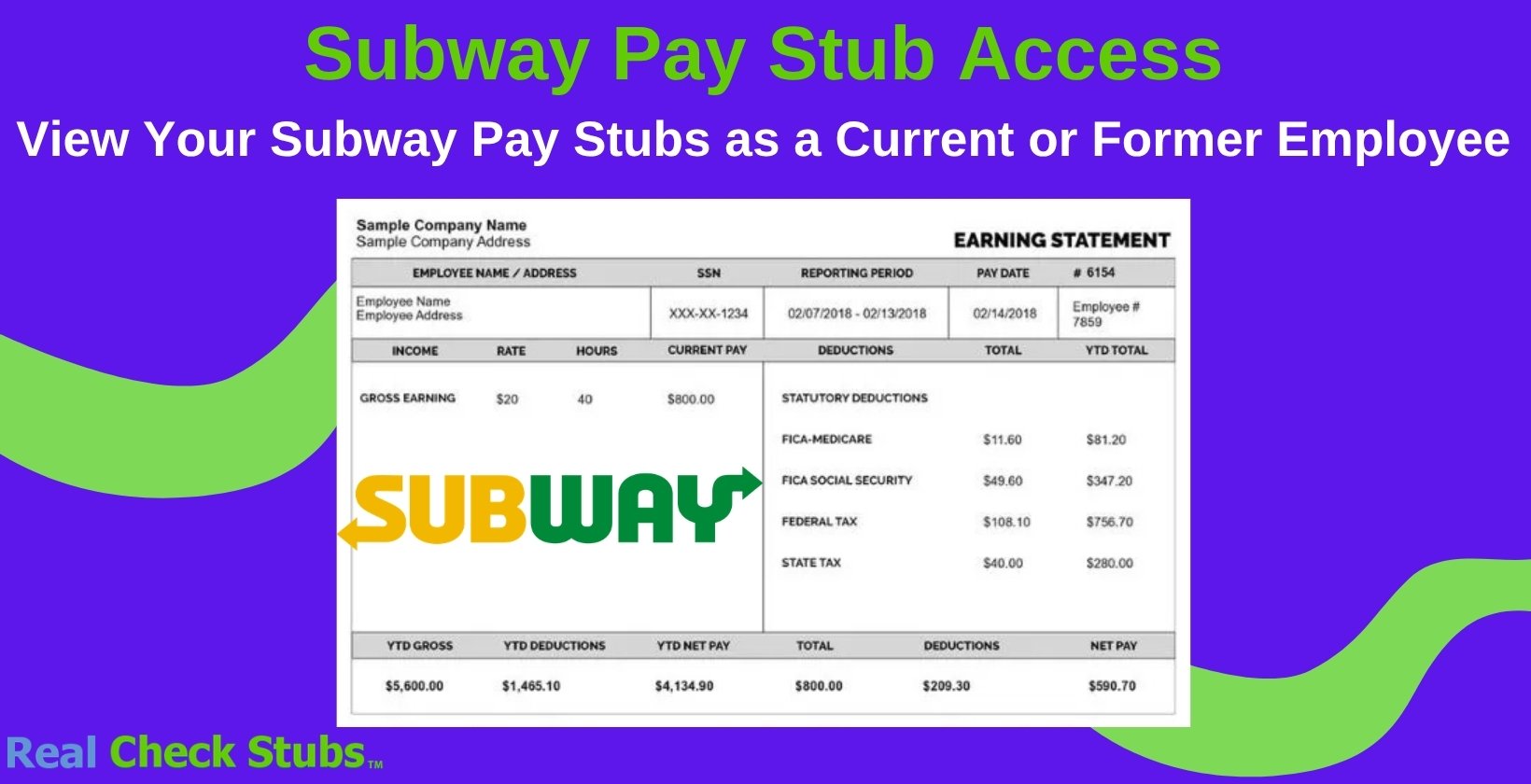
How to Read Your Subway Pay Stub
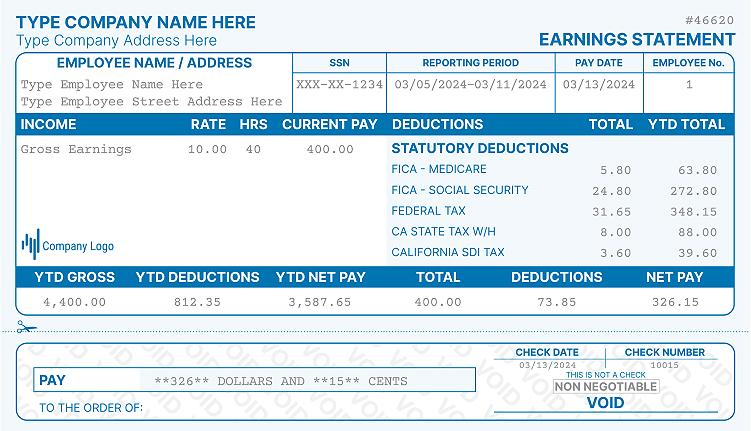
Once you open your stub, check the key figures so you can catch errors early. Focus on these lines.
| Field | What It Shows |
|---|---|
| Gross pay | Your total earnings before any deductions |
| Federal and state tax | Income tax withheld for the pay period |
| Social Security and Medicare | FICA withholding (6.2% and 1.45%) |
| Net pay | Your take-home amount after deductions |
| YTD totals | Running yearly totals, useful for taxes and income proof |
If a number looks off, compare it against your hours and rate, then raise it with your manager. Payroll can issue a correction if there was a genuine error.
Frequently Asked Questions
How to access Subway paystubs?
Log in to the payroll portal your franchise uses, most commonly ADP at my.adp.com or QuickBooks Workforce, and open the pay statement section. Your manager has to grant access before you can log in. If you do not have credentials yet, ask your store manager which system your location uses.
What payroll app does Subway use?
There is no single app, because each franchise chooses its own provider. ADP and QuickBooks Workforce are the most common for stores, while Subway's corporate headquarters uses AllianceHCM. Many locations also use LiveIQ for scheduling and Payactiv for early wage access.
What does Subway use to pay employees?
Most Subway locations pay employees by direct deposit, processed through providers like ADP, Paychex, or QuickBooks. Pay frequency is set by each franchise owner, usually weekly or biweekly. Paper checks are uncommon.
How do you get a pay stub from your job?
Log in to your employer's payroll or employee self-service portal and open the pay or pay statement area. If you do not have online access, ask your manager or HR to print or email a copy. Former employees can request stubs directly from their old store or company HR line.
Does Subway pay weekly or biweekly?
It depends on the franchise, since there is no company-wide schedule. Many Subway restaurants pay weekly, others pay biweekly, and a few pay monthly. Check your offer letter or ask your manager to confirm your cycle.
References
- Payactiv. (2025). Earned Wage Access for Subway Employees. https://payactiv.com/earned-wage-access-for-subway-employees/
- AllianceHCM. (2025). HCM Solutions for Subway Operators and Owners. https://alliancehcm.com/quick-and-full-serve-restaurants/subway/
- Subway LiveIQ. (2025). LiveIQ Labor: Managing Employee Information and Processing Payroll. https://liveiq.subway.com/help/Content/Labor/1068.htm
- ADP. (2025). ADP Self-Service Portal. https://my.adp.com
- Intuit. (2025). QuickBooks Workforce: View Pay Stubs and W-2s. https://quickbooks.intuit.com/payroll/workforce/
- IRS. (2025). Get Your Tax Records and Transcripts. https://www.irs.gov/individuals/get-transcript
- IRS. (2025). About Form W-2, Wage and Tax Statement. https://www.irs.gov/forms-pubs/about-form-w-2

Kristen Larson is a payroll specialist with over 10 years of experience in the field. She received her Bachelor's degree in Business Administration from the University of Minnesota. Kristen has dedicated her career to helping organizations effectively manage their payroll processes with Real Check Stubs.
Our all Posts